Xử lý tồn queue AMA sb_sample_word2010 2013
Modified on Tue, 24 Jun, 2025 at 4:19 PM
Guidelines for handling services managed by Supervisor
1️⃣ Check the logs of the following two modules:
- ama_sb_manager (or ama_sbmanager): Check for abnormal logs when there is no connection to ESX.
- ama_revert (or ama_sb_revert)
Log file locations:
- /opt/ama/log/ama_sbmanager_error.log
- or /opt/ama/log/ama_sb_manager_error.log
- or /opt/ama/log/ama_sb_manager_err.log
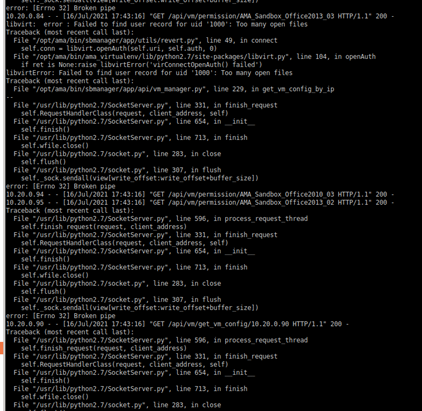
2️⃣ If you detect an issue, restart the module:
supervisorctl restart <module name>Then, check the main log:
tail -f /opt/ama/log/ama_sbcentrel.logObserve the log to ensure that data is being inserted continuously.

3️⃣ If it still does not work:
- Access ESX and check whether the sandboxes are still running properly.
4️⃣ Check the ESXi addresses of the Sandbox machines:
cat /opt/ama/config/ama_config.py | grep esx -C 2
5️⃣ Escalate to the Solution team if further support is needed.
Was this article helpful?
That’s Great!
Thank you for your feedback
Sorry! We couldn't be helpful
Thank you for your feedback
Feedback sent
We appreciate your effort and will try to fix the article